Resuming paused cloud synchronization
This article explains how to resume off-site replication through the Remote Web.
Environment
- Datto SIRIS
- Datto ALTO
Description
If you or Datto Technical Support pauses off-site data synchronization for an agent, a banner will appear at the top of the Remote Web, as a reminder.
Agent level
To resume off-site synchronization for a single agent, follow these steps:
Connect to the Remote Web through the Partner Portal or local IP.
Click the Protect tab to open the Backup Agents page.
Navigate to the paused agent, and select Configure Agent Settings.
Navigate to the Pause Cloud Backups setting.
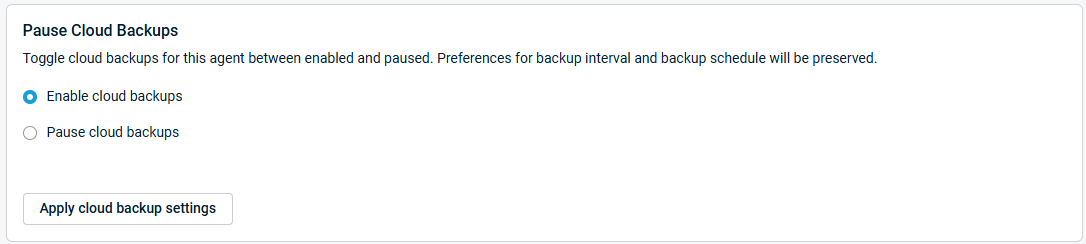
Select Enable Cloud Backups, and then click Apply cloud backup settings.
Device level
If the Datto device has paused all off-site synchronization operations, you can re-enable the feature in the Device Settings page by following these steps:
In the Remote Web, click the Configure tab, then select Device Settings from the drop-down menu.
Navigate to the Off-Site Sync setting. Click Resume to re-enable off-site synchronization.


