Screenshot Verification failure: IRQL_NOT_LESS_OR_EQUAL STOP : 0x0000000A
The screenshot or virtualization fails to boot, showing a blue screen with Windows error: IRQL_NOT_LESS_OR_EQUAL (0x0000000A).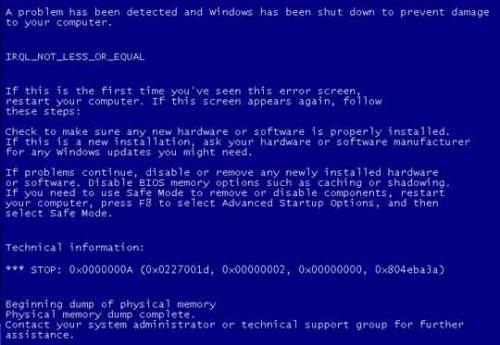
Additional boot errors are provided which should be addressed with the same troubleshooting process, as they have common causes:
- CRITICAL_PROCESS_DIED (0x000000EF)
- PROCESS1_INITIALIZATION_FAILED (0x0000006B)
- SYSTEM_THREAD_EXCEPTION_NOT_HANDLED (0x0000007E)
- CRITICAL_SERVICE_FAILED (0x0000005A)
- SYSTEM_SERVICE_EXCEPTION (0x0000003B)
- PAGE_FAULT_IN_NONPAGED_AREA (0x00000050)
- PNP_DETECTED_FATAL_ERROR (0x000000CA)
- ATTEMPTED_EXECUTE_OF_NOEXECUTE_MEMORY (0X000000FC)
- DRIVER_POWER_STATE_FAILURE (0x0000009F)
- SESSION_INITIALIZATION_FAILED (0x0000006D)
- IRQL_NOT_LESS_OR_EQUAL (0X0000000A)
- PHASE_INITIALIZATION_FAILED (0x00000032)
- IO1_INITIALIZATION_FAILED (0x00000069)
- SYSTEM_SERVICE_EXCEPTION (0X0000003B)
- APC_INDEX_MISMATCH (0x00000001)
- DRIVER_IRQL_NOT_LESS_OR_EQUAL (0x000000D1)
- ATTEMPTED_EXECUTE_OF_NOEXECUTE_MEMORY (0x000000FC)
- BAD_POOL_HEADER (0x00000019)
- DRIVER_PORTION_MUST_BE_NONPAGED (0x000000D3)
- KERNEL_AUTO_BOOST_LOCK_ACQUISITION_WITH_RAISED_IRQL (0x00000192)
- MULTIPLE_IRP_COMPLETE_REQUESTS (0x00000044)
- PFN_LIST_CORRUPT (0x0000004E)
- RESOURCE_NOT_OWNED (0x000000E3)
Environment 
- Datto SIRIS
- Datto ALTO
Cause
The most common causes for these errors when creating a virtualization from a backup point or taking a screenshot include:
Necessary Windows Updates have not been applied to the protected server.
A recent windows or application update installed improperly.
A driver failure on the protected machine. Notably the IBM OSA IPMI device driver (IPMI.sys) has been shown to cause this error after a conversion from a physical host to a virtual one.
Insufficient free space on the protected machine.
File system corruption.
Check system volume for 10-15% free space, SFC and DISM, check device manager for any faulted drivers, remove any recently added drivers. Possible final steps: reinstall .NET, disable startup services one by one until the issue is abated
Resolution
Confirm the System Volume on the protected machine has at least 10-15% free space.
Make sure that all available Windows Updates have been applied to the protected server in question. This includes any important updates and updates related to .NET Framework and any C++ Redistributable packages found under optional updates.
Perform an SFC /scannow on the protected machine to verify system health. If this fails to repair the system, DISM can also be required.
DISM /Online /Cleanup-Image /RestoreHealth
When DISM is run, it is considered best practice to run the SFC scan again immediately after.
Check the Device Manager on the protected machine for any faulted drivers and address as necessary. If there are any recently added drivers, they may need to be removed if no faulted drivers are present and the virtualization issue fits the same timeframe.
If the IBM IPMI.sys driver is present and the service is not being explicitly used, remove the driver from the protected machine, reboot and take another backup. Test the virtualization afterward to determine if the error re-presents itself.
Individual startup services can be disabled one at a time, with a test backup and screenshot between each to identify what is causing the issue. From there the health of that service can be addressed if it is needed.
If these have not resolved the issue you can attempt to re-install .NET.


