Canceling a backup
If a backup needs to be canceled, then it may be done so from the Remote Web. This can be done when preparing for maintenance, when there is suspected issues with the protected machine, or the type of backup should be changed.
Environment 
- Datto SIRIS
- Datto ALTO
- Datto NAS
Description
To cancel a running backup for one of the protected assets, please log into the Remote Web of the backup device, either locally or through the Datto Partner Portal. These steps apply to all agent based, agentless, and universal backups on the Datto BCDR devices.
Navigate to the Protect tab in the Remote Web of the device.
Scroll to, or search for, the agent that is taking the backup.
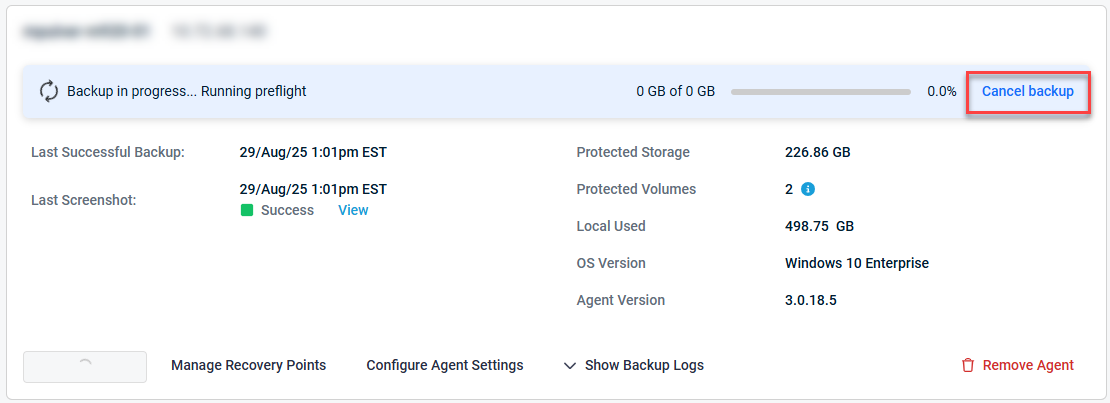
In the Backup section, the option to cancel the backup will be on the right hand side. Select Cancel backup.
If you are unable to stop the backup due to an error or no change is reflected after stopping, please reach out to Datto Technical support for further assistance.


