Protect page warning: hardware assisted virtualization
This article provides steps to resolve the error message:
Warning: To perform local screenshot verification, you must expose hardware assisted virtualization to this device and then reboot.
Environment 
- Datto Virtual SIRIS
- Datto Virtual ALTO
Cause
A virtual Datto appliance will display this warning if it does not have access to hardware-assisted virtualization on its host hypervisor, because it cannot run nested virtual machines for local screenshot verification.
Resolution
You can resolve this error by either:
Configuring a hypervisor connection for screenshot purposes
Using the hypervisor's administrative interface to expose hardware-assisted virtualization to the virtual backup device.
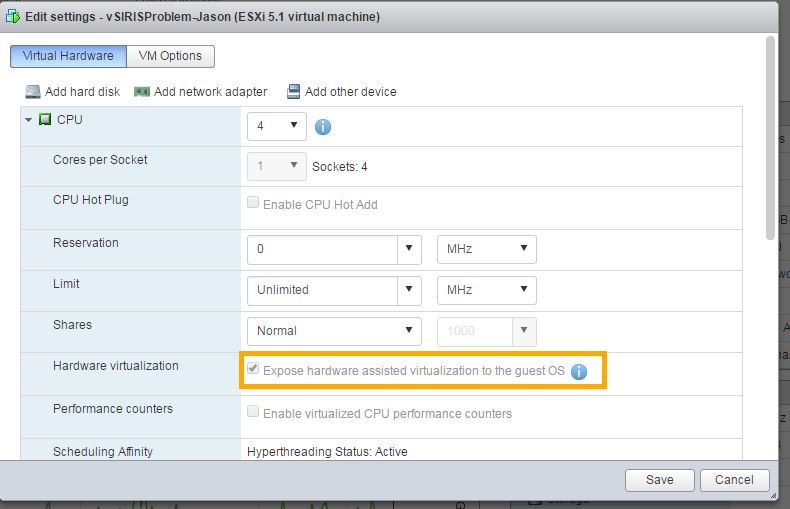
See Expose VMware Hardware Assisted Virtualization in the vSphere Web Client (external website) for a walk through of this process.
NOTE The warning banner will persist until the condition is resolved and the Datto appliance attempts the next screenshot verification.


