S6-DX drive replacement
This article explains how to physically replace the array drive or the OS drive on the S6-DX model of devices.
NOTE Before removing any drives contact Datto technical support. There may be back end procedures needed before the drives are physically removed and replaced.
Environment 
- S6-DX2
- S6-DX4
- S6-DX8
- S6-DX12
Description
You are able to replace the array drive or the OS drive on the SIRIS 6-DX devices. For layout identification, refer to the SIRIS 6 Desktop SSD (2 through 12) specifications.
 Array Drive
-
Shut down the appliance gracefully through the Remote Web.
-
Disconnect power, network, and any peripheral cables.
-
Place the unit on a clean, static‑safe surface.
-
Using the screwdriver, remove the ten rear/side chassis screws.
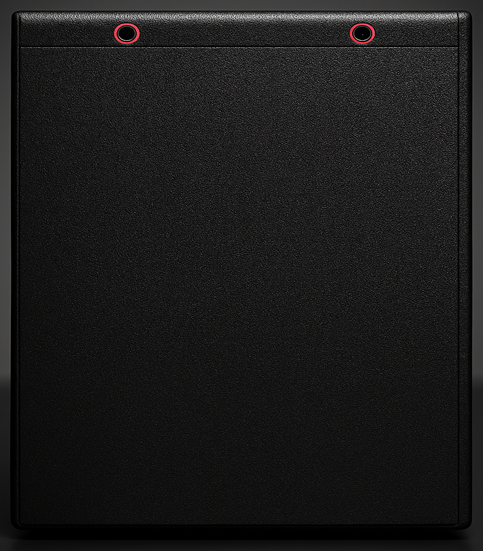
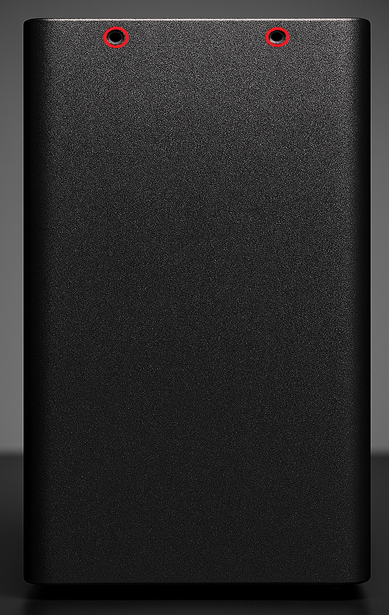
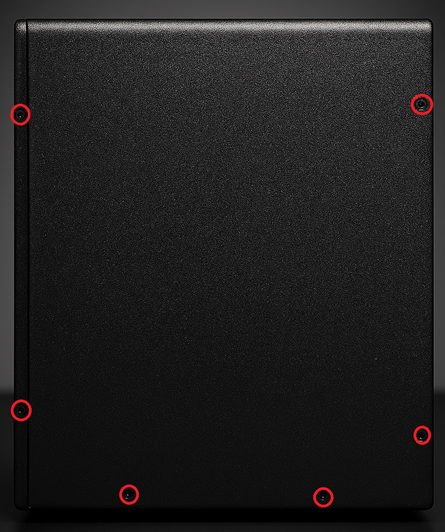
-
Slide and lift the cover off according to the chassis design. Set the cover aside.
-
Identify the Array drive(s) SSD mounted directly to the PCIe card. The array drive is the small, rectangular SSD, typically secured by one mounting screw.
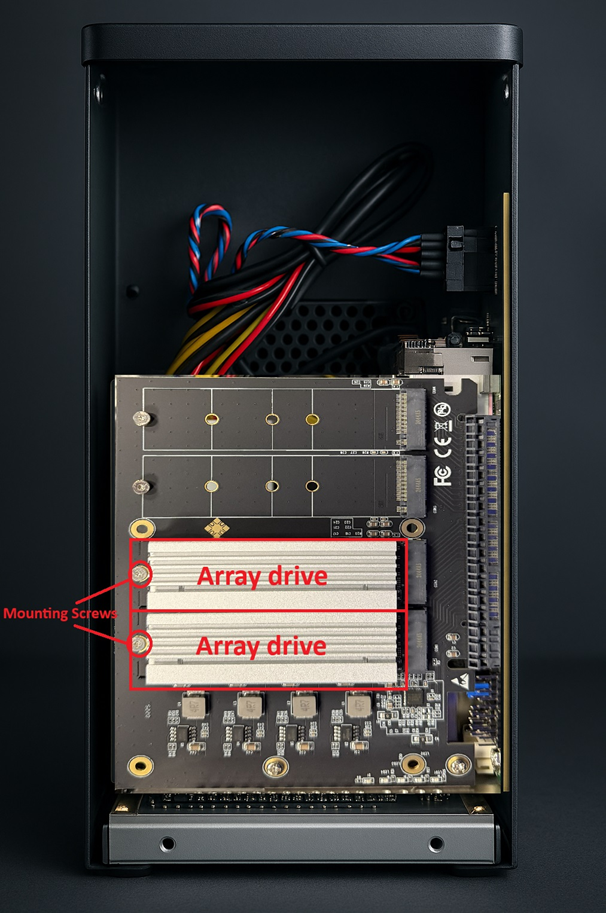
NOTE Avoid cable routing nearby to prevent strain during removal.
-
Using the Phillips screwdriver, remove the SSD mounting screw.
-
Gently slide the SSD out of its socket at a slight angle.
-
Place the removed drive in an ESD‑safe container.
-
Install the replacement Array SSD.
-
Align the replacement SSD with the socket and insert the SSD at the same angle used during removal.
-
Press down gently and secure with the mounting screw. Ensure the SSD is flush and firmly seated.
-
Reinstall the chassis cover and secure all chassis screws.
-
Reconnect the power, network, and any disconnected peripheral cables.
-
Power on the appliance and confirm the system POSTs normally.
OS drive
-
Shut down the appliance gracefully through the Remote Web.
-
Disconnect power, network, and any peripheral cables.
-
Place the unit on a clean, static‑safe surface.
-
Using the screwdriver, remove the ten rear/side chassis screws.
-
Slide and lift the cover off according to the chassis design. Set the cover aside.
-
Identify the OS SSD mounted directly to the motherboard. The OS drive is the small, rectangular SSD with a label, typically secured by a single mounting screw.
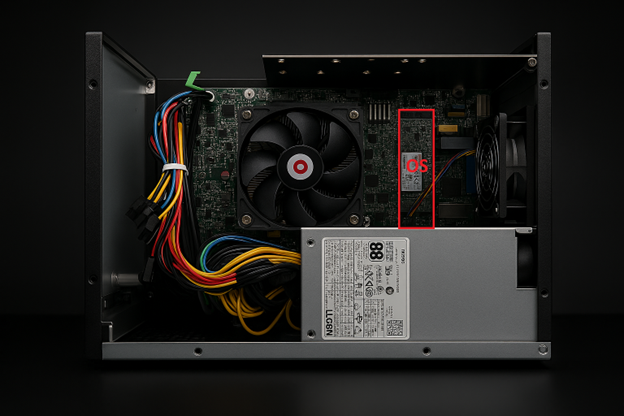
NOTE Avoid cable routing nearby to prevent strain during removal.
-
Using the Phillips screwdriver, remove the SSD mounting screw.
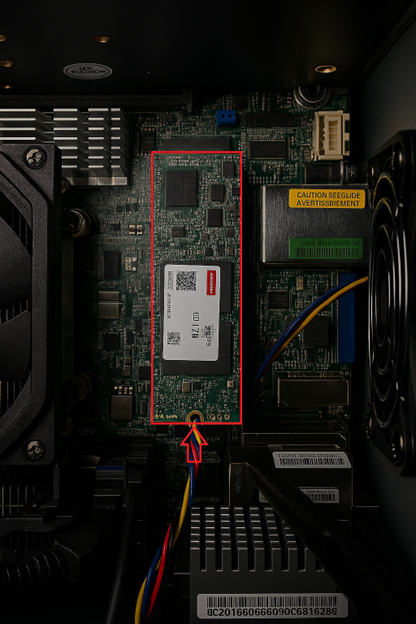
-
Gently slide the SSD out of its socket at a slight angle and place the removed SSD in an ESD‑safe container.
-
Align the replacement SSD with the socket and insert the SSD at the same angle used during removal.
-
Press down gently and secure with the mounting screw. Ensure the SSD is flush and firmly seated.
-
Reinstall the chassis cover and secure all chassis screws.
-
Reconnect the power, network, and any disconnected peripheral cables.
-
Power on the appliance and confirm the system POSTs normally.


