Recovering an endpoint
Module: Endpoint Backup v2
Initiating a restore 
- Log in to UniView (login.backup.net)
- From the Assets Section ellipse menu, select Restore.

- Choose from the following:
File level recovery - For restoring specific files and folders
Bare Metal Recovery (BMR) - For restoring an entire machine
Single file multi-version recovery - For restoring multiple versions of a single file
NOTE If your volume is encrypted with a self-managed key, you need to provide the key in order to see the decrypted file listing.
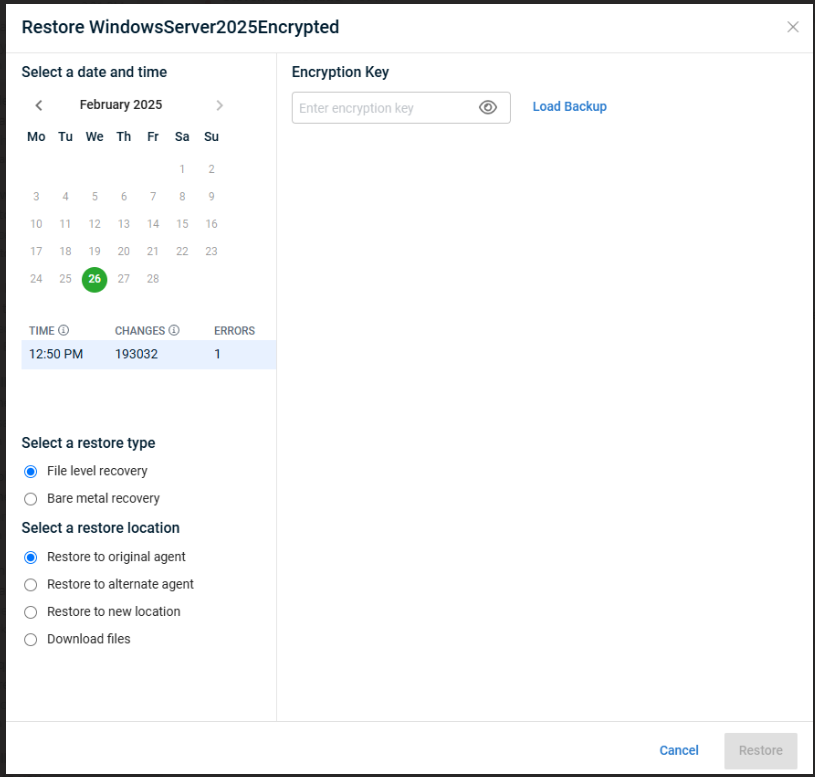
File level recovery
- Select the desired recovery point to restore.
- Select the files and folders to restore.
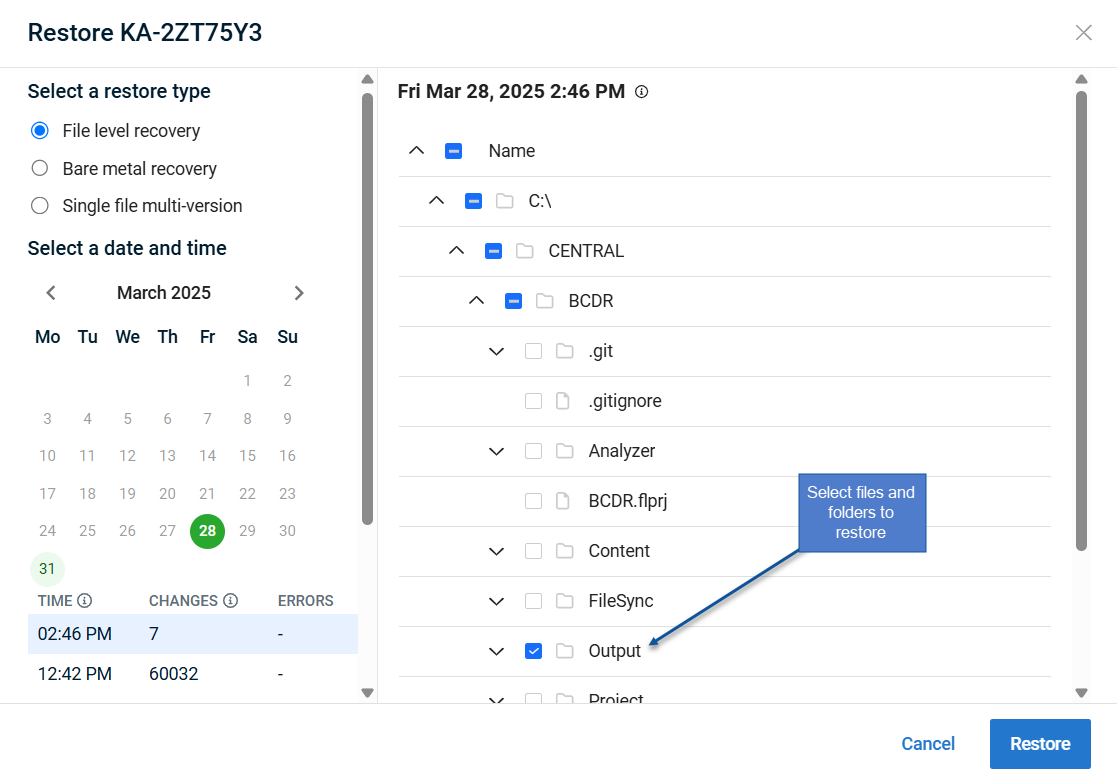
- Select the restore location.
IMPORTANT The restore process will overwrite any files that exist.
Restore location options 
ALERT Permissions are only preserved when files are restored back to the original asset.
Other restore locations do not preserve file permissions.
NOTE Do not close your browser while you download your files.
- Click Restore.
TIP Track the status of your restore with the Recovery Operations view.
You can also cancel a restore that is still running from there.


