How to Order a RoundTrip
This article describes the process to order a RoundTrip drive. Use this article as a guide when you need to request a RoundTrip to synchronize your local data to the Datto Cloud.
Datto's standard RoundTrip process is not available for SIRIS Private devices. For RoundTrip requests on SIRIS Private devices, see Getting Started with SIRIS Private.
Environment 
- Datto RoundTrip
Prerequisites
Before ordering a RoundTrip, see the RoundTrip Overview article for important considerations.
Description
Log into the Partner Portal.
Click the Status tab, then select BCDR Status from the drop-down menu.
Click the name of the device needing the RoundTrip drive.

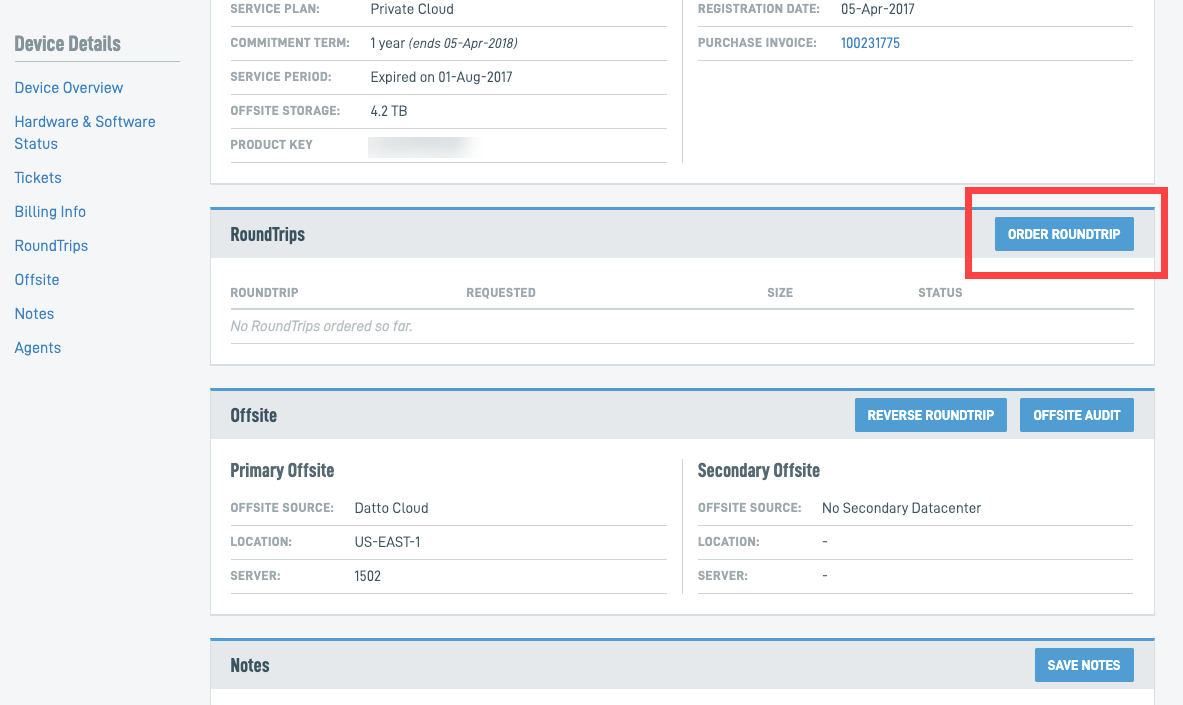
Scroll to the RoundTrips card and click the Order RoundTrip button. The Order RoundTrip form will appear.
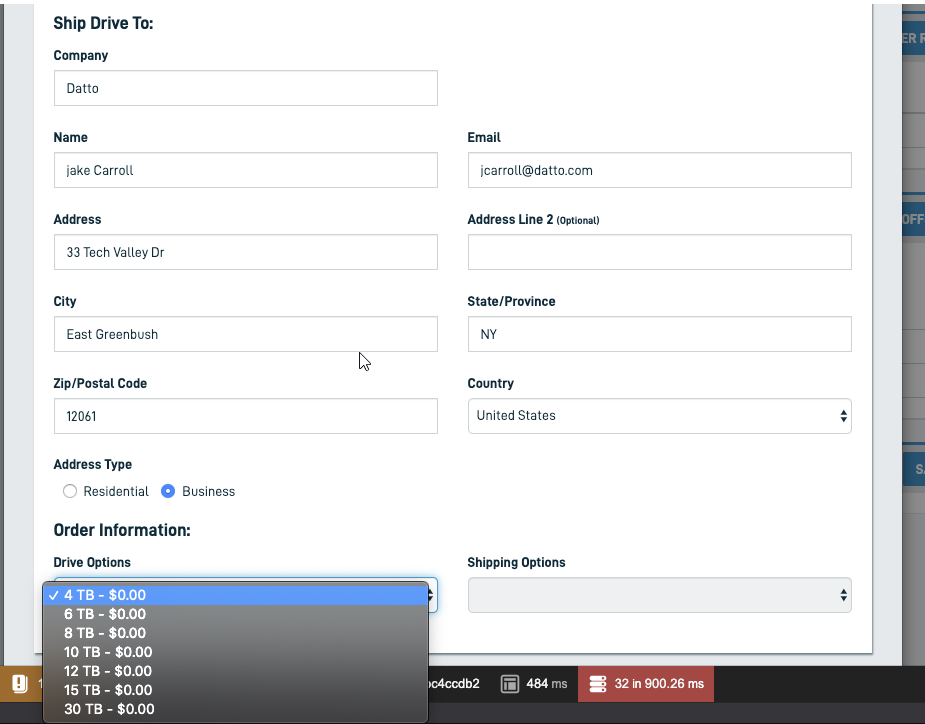
Fill out the Order RoundTrip form. The system should automatically select the appropriate size RoundTrip drive. If you need a different size, select it in the Drive Options drop-down menu.
To complete your order, click Order RoundTrip.
RoundTrip pricing 
Datto partners receive one complimentary RoundTrip per quarter. If you have already used your complimentary RoundTrip, RoundTrip pricing is a flat rate regardless of RT size requested
- $50 USD
- $60 CAD
- 40 EUR
- £30 GBP
- $65 AUD
- $65 SGD
The charges a flat fee regardless of RoundTrip drive size and will display in the Drive Options menu.
Expedited shipping
The default shipping option is UPS Ground. You can specify faster shipping options for an additional charge by using the Shipping Options drop-down menu on the Order RoundTrip screen.
All domestic RoundTrips should be delivered within 2 business days of being shipped. An overnight shipping option is available and will be a flat fee.
- $55 USD
- $65 CAD
- 45 EUR
- £35 GBP
- $70 AUD
- $70 SGD
Checking RoundTrip status
To check the status of the RoundTrip, return to the device's BCDR Status page and scroll to the RoundTrip Status card. See Checking the Status of a RoundTrip for more information.
When you receive your RoundTrip drive, follow Syncing a USB RoundTrip drive with a Datto appliance or Syncing a NAS RoundTrip drive with a Datto appliance to begin the data transfer process.


